
A long video in.
Its best clips out.
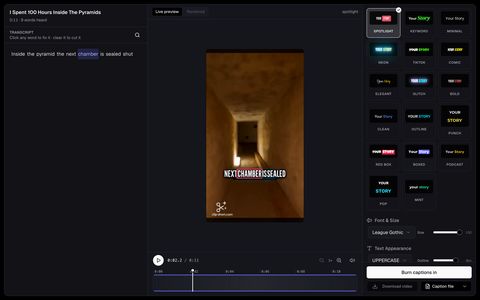
Paste a YouTube link, or upload a podcast, a stream or an interview. It reads the whole video, picks the parts that stand on their own and scores each out of 100. Every clip is cropped to whoever is talking and captioned word by word.
What is AI clipping?
AI clipping turns one long video into short clips for you. The AI reads what is said, picks the moments that work on their own, cuts each one into a vertical clip that keeps the speaker in frame, and adds captions, ready for TikTok, Instagram Reels and YouTube Shorts.
On Clip-Short you paste a YouTube link or upload a file, choose how many clips you want and, if you like, what to look for. Each clip comes with a score and the reason it was picked, and you can trim it, fix a caption word or change the framing before you export. The free plan includes 60 minutes of video a month, with a small watermark.
Clips that are ready to post, not just cut.
- Reads the whole video
- A long video is read in parts, so the clips come from all of it, not only the first half.
- Tell it what to look for
- Write what you want, for example “the funniest moments”, or let the AI decide.
- Scored, best first
- Each clip gets a score out of 100 and a line on why, so you open the strongest one first.
- Cropped to the speaker
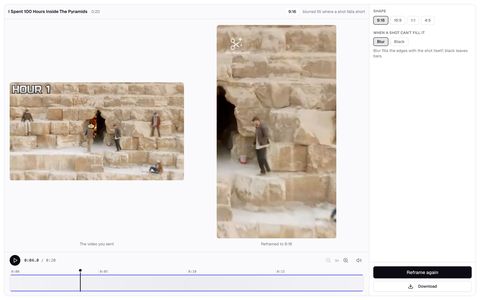
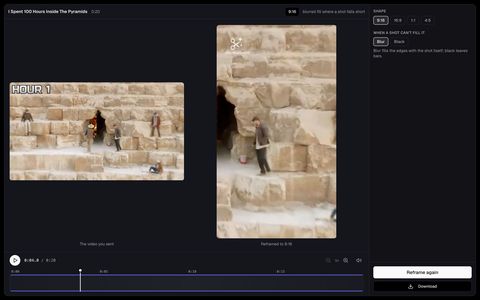
- From 16:9 to 9:16 the crop keeps whoever is talking in frame, two people included.
- Captions on every word
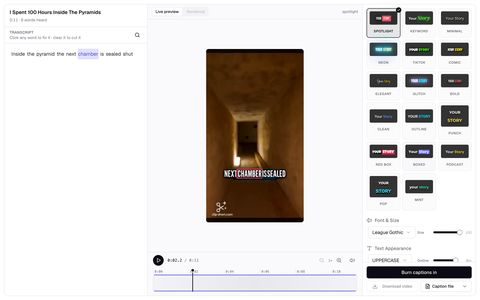
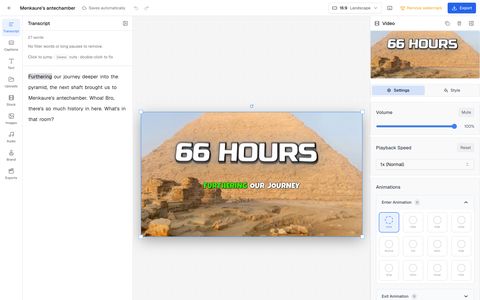
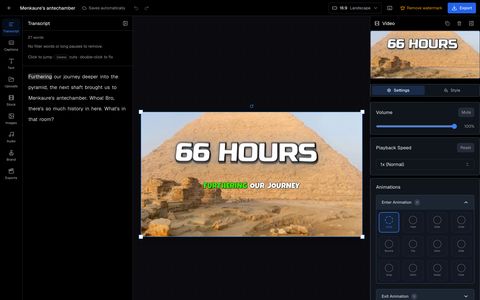
- Fix any word in the transcript, and download SRT, VTT or text files.
- Clean, dub, remix
- Cut pauses and filler words, add studio sound, dub a clip into another language, or remix it.
Don’t repost a clip.
Add your take.
Remix makes a clip from your own video into a new story: a hook, the background it needs, facts from a search, your comments between its moments, and the clip’s own sound where it counts.
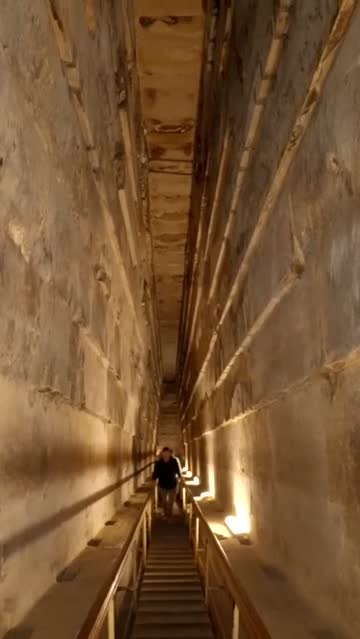
What is really inside the Great Pyramid?
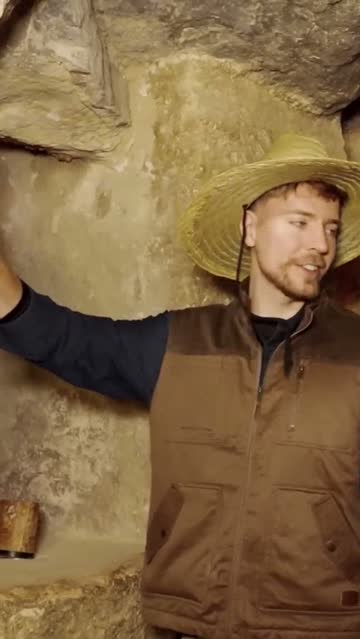 Paused
Each block above him weighs about 2.5 tonnes.
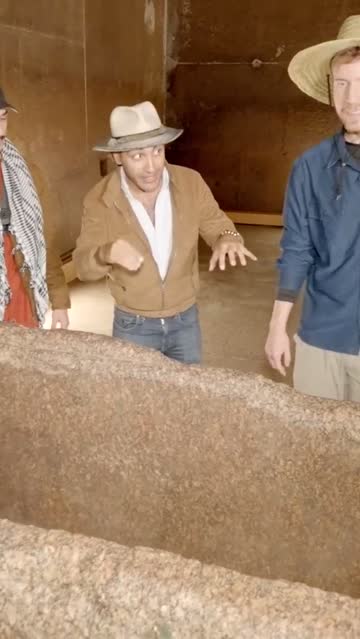
The granite box was found empty. Why?
From a link to clips
- 1
Add the video
Paste a YouTube link or upload a file: a podcast, a stream, a lecture or an interview.
- 2
Say how many
Pick 1 to 20 clips, and write what to look for if you want.
- 3
Check and export
Open the best one first, trim it, fix a word, pick the caption style and export.
AI Clipping at a glance
The pricing page shows the Clip pack and Pro in your currency. Facts checked on October 29, 2026
| What | On Clip-Short |
|---|---|
| What it takes in | A YouTube link, or a video file you upload |
| Video length | At least 5 minutes, up to the minutes your plan has left. You can pick one part of a longer video |
| Clips per video | 1 to 20, your choice. "Find new clips" asks again: once a video on the free plan, 3 times on Pro |
| Clip length | The AI picks each clip's length; you can trim a clip to anything from 5 seconds to 5 minutes |
| Languages | Clips are picked from what is said, in the video's own language, and the captions are in that language |
| Formats | 9:16 vertical, 1:1, 4:5 and 16:9 |
| Framing | The crop follows the person speaking, also when two people talk. You can move the frame shot by shot |
| Captions | Animated, word by word, and correctable. Download them as SRT, VTT or TXT |
| Time to a result | Usually a few minutes to the list of clips for a YouTube video; each clip's preview follows as it is ready |
| Free plan | 60 minutes of video a month, a small watermark on exports, no card |
| Clip pack | Paid once: 120 minutes of clipping, every clip of those videos without the watermark, and 3 remixes |
| Pro | 5 hours of video a month per bundle, no watermark, and 10 AI videos |
| More in the clip workspace | Cut pauses and filler words, studio sound, a hook title, Dub into 6 languages, and Remix |
| Who it is for | Podcasters, streamers, teachers, interviewers and clips channels |
Questions about AI Clipping
What is a good free AI tool to turn long videos into short clips?
Clip-Short's AI Clipping is free to start: 60 minutes of video a month, captions, a crop that follows the speaker, and a small watermark on free exports. Our dated comparison of AI clip makers lists the prices and limits of other tools too.
How do I turn a long video into short clips?
Paste a YouTube link or upload the video, choose how many clips you want, and the AI finds the best moments. Check each clip, adjust it, and export it.
Is AI Clipping free?
Yes, to start. The free plan includes 60 minutes of video a month, with no card, and puts a small watermark on exports. The Clip pack, paid once, and Pro remove the watermark.
How long does it take?
Usually a few minutes from the link to the list of clips. Each clip's preview with captions follows as it is ready. An uploaded file takes longer than a YouTube link, and a longer video takes longer to read.
How long can my video be?
At least 5 minutes, and up to the minutes your plan has left. A long video is read in parts, so the clips come from the whole video and not only the start. You can also pick one part of it.
How many clips do I get from one video?
You choose: 1 to 20. If you want different ones, "Find new clips" asks again with a new instruction: once a video on the free plan, 3 times on Pro.
How long is each clip?
The AI decides each clip's length from the moment it picks. You can trim any clip by hand to anything from 5 seconds to 5 minutes.
Can I tell the AI what to look for?
Yes. Besides the number of clips you can write what to look for, for example "the funniest moments" or "every time they talk about money".
Does it work with videos that are not in English?
Yes. Clips are picked from what is said, and the captions come out in the video's own language. Dub can then say a clip again in English, Spanish, Portuguese, Arabic, French or German.
Does the vertical crop follow the person speaking?
Yes. From 16:9 to 9:16 the crop keeps the speaker in frame, also when two people talk. You can change the framing of each shot by hand.
Can I fix the captions?
Yes. Tap a word in the transcript to fix it before you export. You can also download the captions as an SRT, VTT or text file.
Is there a watermark?
On the free plan, a small one. With the Clip pack or Pro, clips export without it.
What is the Clip pack?
A one-time purchase for clipping: 120 minutes of AI Clipping that do not expire, every clip of those videos exported without the watermark, and 3 remixes. No subscription. The pricing page shows it in your currency.
What is Remix?
Remix makes one of your clips into a new commentary video: the backstory with a source for each fact, name tags, graphics and a narrator around the clip. A remix uses one AI video from Pro, a pack or the Clip pack; the free plan does not make remixes.
Which videos do not work well?
Videos with no speech: only music, only pictures or noise. AI Clipping picks moments from what is said, so it needs spoken words.
Does it post the clips for me?
No. You download each clip and post it yourself. Clip only videos you own or have permission to use.
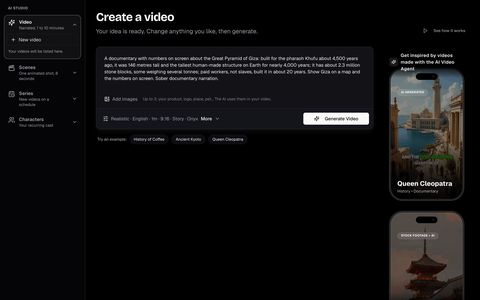
- AI AgentAn idea becomes a narrated video
- ReframeAny video in any shape, shot by shot
- Auto CaptionCaptions on every word, timed to the voice
- EditorA full editor in your browser
- The best AI clipping tools12 tools, each read on its own pages: free plan, watermark, languages, reframing.
- YouTube's reused content policyWhat can earn, what cannot, and what to do after a rejection.
- Clip-Short vs Opus ClipSide by side: input, free plan, watermark, languages and reframing, as each page stated.
- YouTube video to ShortsPaste a link and get vertical clips with captions.
- Podcast clipsTurn an episode into vertical clips with captions and speaker colours.
- Stream clipsCut a long stream into clips and skip the dead air.
- Interview clipsCut an interview into clips of its best answers.
- Lesson and webinar clipsCut a class or webinar into clips that teach one thing.
- Best AI clip makersSix tools compared by what their own pricing pages say.
- Long video to clips, freePaste a link and get captioned vertical clips. 60 free minutes a month.
- Start a clips channelCut, Remix with your own angle, and Dub into other languages.
- Dub clipsSay a clip again in English, Spanish, Portuguese, Arabic, French or German.
- Opus Clip alternativeCompared by what each pricing page says, with the date.
- Klap alternativeCompared by what each pricing page says, with the date.
- Find the best momentsChoose the moments of a long video that work as clips.
- Ask permission to clipA message you can copy to ask a creator for a yes.
- Captions people readShort, clear, correct captions on a vertical clip.
- Clips for agenciesA batch of branded, captioned clips from a client video.
- Clips from talksCut a conference talk or panel into short clips.
- Hook titles, stickers and zoomsThe AI adds a hook, stickers and punch-in zooms to a clip from what it says.
- Cut silences and filler wordsRemove the long pauses and the ums from a clip in one click.
- Subtitle files (SRT, VTT)Download the subtitles of a video as an SRT, VTT or text file.
- How to Turn a Long Video Into TikTok Clips
- Podcast to Video: Complete Guide to Repurposing Audio Content
- Getting Started with AI Video Clipping: A Complete Guide
- How to Turn a YouTube Video into Shorts, Step by Step
- How to Turn a 16:9 Video into 9:16 Without Cutting Off the Speaker
- How to Extract Viral Clips from Your Favorite Twitch Streamers with AI
- How Many Clips Can You Get from a One-Hour Video?
- What It Costs to Make AI Videos With Separate Tools, and With One Subscription
- How to Make Clips Original Enough for YouTube's Reused-Content Rule
- How to Dub a Short Video into Another Language with AI
- How to Start a Clip: Hooks That Keep People Watching











Your best moments are already filmed.
Paste a link and get them back as clips, ranked and captioned.
Find clips in a video