
How Kwai pays creators
Kwai’s creator page says it offers “a variety of ways” to earn: traditional ads, paid tasks and gifts. It lists eight in all. They are separate programs with their own rules. Some you join yourself from Creator Center. Others are by invitation or still in testing.
This is the list on Kwai’s page, with what Kwai’s help center adds:
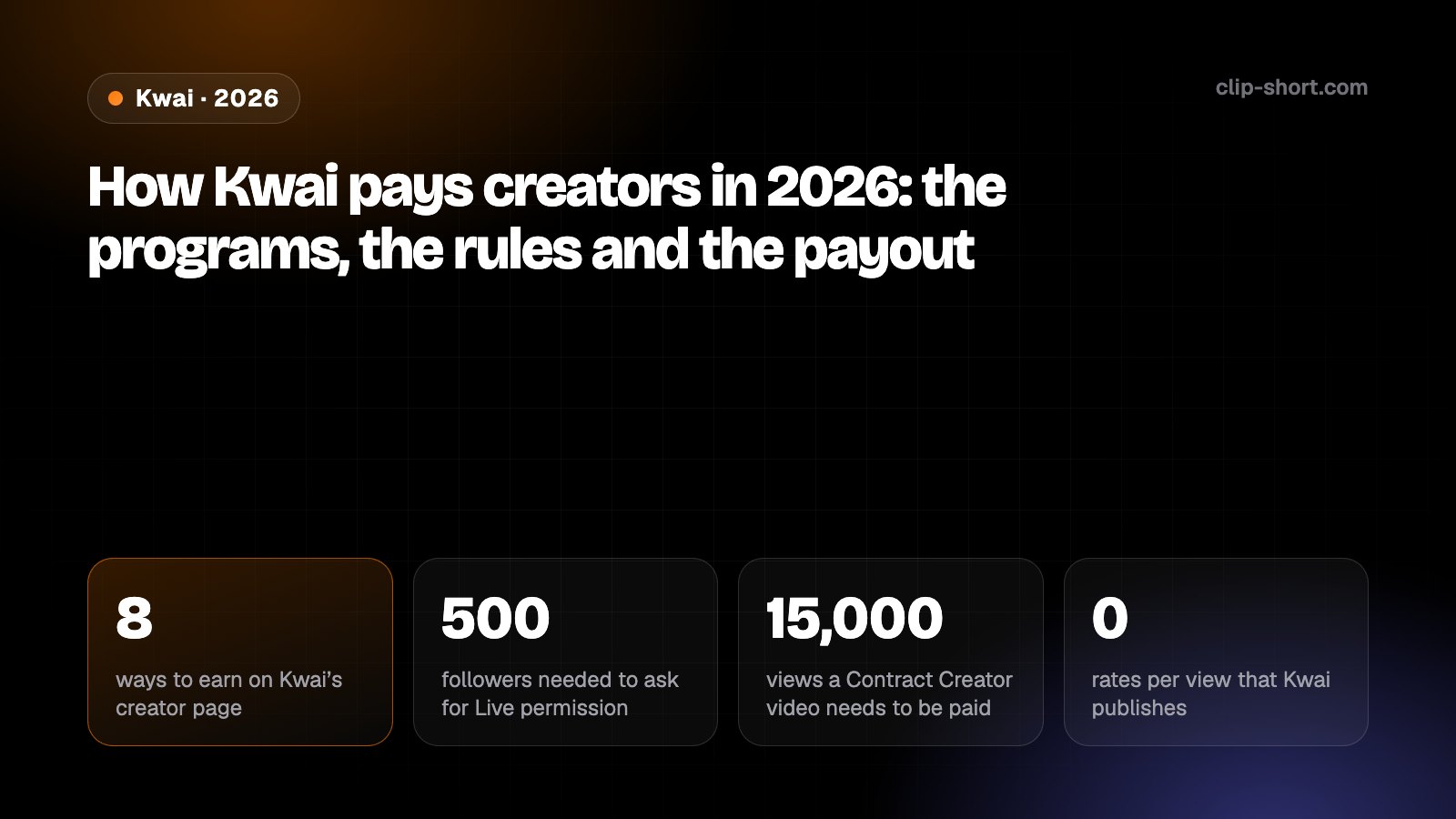
- 8ways to earn on Kwai’s creator page
- 500followers needed to ask for Live permission
- 15,000views a Contract Creator video needs to be paid
- 0rates per view that Kwai publishes
- Ad Revenue Program: Kwai places ads in your videos, and your income follows how often the ads are really shown. You join from Creator Center. The conditions are in the next section.
- Paid Tasks: brands sponsor tasks. You pick one in Creator Center, tap Join and make a video where the product appears naturally. Kwai says you are paid after the campaign is finished successfully.
- Creator Marketplace: Kwai gives a campaign official traffic support, and you are paid after you finish it. The marketplace site needs scripts to load, so we could not read its terms.
- E-commerce partnerships: selling with videos and live streams. Kwai’s help center says creators selling through videos or lives is still in testing and open to some users by invitation.
- Praise: viewers can reward a video. Kwai says this function is in internal testing and not open to all users.
- Live gifts: if Live Gifts is active on your account, viewers can send gifts when you go live. To ask for Live permission you need at least 500 followers.
- Platform signed creator: you sign a contract with Kwai and the platform pays you directly. The Contract Creator rules are below.
- The Powerful Ones: a Kwai Live campaign for streamers without an agency. It offers Koin rewards, traffic support, workshops and a chance to be signed by Kwai Live.
Kwai’s page gives no amount for any of these: no rate per view and no revenue share. Anyone who quotes you a figure per 1,000 views for Kwai is not quoting Kwai.
The programs also pay into different wallets, and Kwai’s help pages are written for Brazil. We come back to both in the payout and country sections.
Ad Revenue Program: the conditions
The Ad Revenue Program is the one you can check yourself. Kwai’s help center describes it as earning money from ads placed at random in the videos you create. Your income is calculated from how many times the ads are actually shown. Kwai also says the program is opening gradually to high-quality creators, so it may not be in every account yet.
These are the conditions on Kwai’s help page:
- 500fans, or creator level 6 or more
- 12posts: you need more than this in 30 days
- 1,000average views a post in 30 days
- 10,000or total views in 30 days
Could you join the Ad Revenue Program? Answer five questions
- Is your creator level 6 or more, or do you have more than 500 fans?
- Are the videos you publish original?
- Did you publish more than 12 videos in the last 30 days?
- Do your videos average 1,000 views, or add up to 10,000 views, in the last 30 days (without boosted views)?
- Are you an adult?
| Condition | What Kwai says |
|---|---|
| Level or fans | Creator level 6 or more, or more than 500 fans. |
| Content | Original videos. |
| Posting | More than 12 videos published in the last 30 days. |
| Views | An average of 1,000 views in the last 30 days, or 10,000 views in total on the videos published in those 30 days. |
| Age | You must meet the age limit for adults. Kwai gives no number. |
| Boosted views | Views added by the Booster do not count. Data on the conditions can be 2 days late. |
| Hashtags | Kwai says videos with a hashtag are outside this program. It does not explain more. |
Where to check: Kwai points to Creator Center, then Work Analysis, then Publication, then 30 days, then Views.
If you stop meeting the conditions, you enter a 14-day assessment period, and Kwai sends private messages telling you what to fix. If you meet the conditions again in that time, you stay in. If not, you are removed. Leaving before a reward is issued affects that reward.
The English and Portuguese versions of the page disagree on one detail: the creator level is “above 6” in one and “6 or more” in the other. Trust the entry shown in your own Creator Center. The page shows no rate and no minimum.
Original User Rewards (UGC Subsidy) in Brazil
Kwai’s Brazilian help center has a program for original creators. In English it is the UGC Subsidy Program. In Portuguese it is Programa de Recompensas do Usuário Original. You cannot apply: Kwai says you take part only if you received an invitation from its official account, Kwai Brasil Oficial.
What Kwai’s pages say about it:
- 1,000views a video needs to be eligible now, says Kwai’s help center
- 8 sshortest video, in Kwai’s explainer video
- 5days for Kwai’s confirmation message after you register
- BRLcurrency of the wallet that holds the bonus
- The account must be classified as Original, meaning it posts videos the user made, often and recently. If Kwai moves it to Non-Original after you join, you lose eligibility.
- An original video is recorded and produced by the creator, with the creator appearing in it. Material from the internet or other people’s works is not original.
- To register, you post a verification video on your profile saying it is your Kwai account and that you take part in the program, then send its link in the registration form. You can make it private afterwards. Kwai says an official message confirms the registration within 5 days.
- The view-based bonus is for videos that are original, public, follow the platform rules and last at least 8 seconds. Kwai’s help center says videos with 1,000 views are eligible for monetization now. The bonus rules are in Kwai’s explainer videos, which we could not read as text, so this guide gives no amount.
- The bonus is paid into your BRL Wallet in Kwai, listed as UGC Subsidy Program Rewards. A separate Guaranteed Minimum Income needs the optional Partner Program. Without it you still receive the view-based bonuses.
- You can lose the bonus. Non-original videos or breaking the community rules can remove you from the program. If you leave on your own, you lose the current week’s reward, and Kwai’s explainer video counts becoming a contracted creator as leaving the weekly bonus.
Kwai’s overall score for this program looks at video views, engagement (likes, retention, comments and shares), how often and how steadily you post, an originality rating and your number of followers. Payment data is not yet in Creator Center for this program, and Kwai says it plans to add it.
The program policy opens in an app view that needs scripts, and its text did not load for us. We read only its outline: overview, who can take part, view bonus, guaranteed minimum income, payment cycle, how to register and when a payment is cancelled. Kwai says it announces policy changes in app messages and in the program’s official WhatsApp groups.
Contract Creator: paid by the platform
Some creators sign with Kwai and are paid by the platform directly, or through an agency. Kwai’s help center calls them Contract Creators. The rules sit on the Contract Creator page in the app, which only contracted creators can open, so we read only the help center’s description.
How you get in and how it pays, according to Kwai:
- 15,000views a video needs to be a paid video
- 80%advertising videos above which a fine applies
- 40%fine on the total amount for too many ads
- 10day of the next month the monthly report comes
- Direct hire: if you are not in a creator program already, apply in Creator Center under Hired Creator. If your profile meets the requirements listed there, you can tap Apply Now. Approved creators receive the invitation within 10 days, from the TopKwaiersOfficial account.
- Agency: an agency can invite you instead. The invitation link expires 7 days after the message is sent.
- A paid video is an approved video with over 15,000 views (7-day views, on the For You page, counted after 3 seconds).
- Not paid: banned videos, low-satisfaction videos (a rating under 0.7 from user votes), e-commerce videos, and private or deleted videos. Repeated videos are not paid either.
- Fines: if advertising videos are over 80% of your videos, the fine is 40% of the total amount. If fewer than 80% of your videos have a description (hashtags are not enough), the fine is 5%. Each fine goes back to zero when you meet both rates.
- Timing: the monthly report comes on the 10th of the following month, and it can be late by up to 2 days. Payment usually falls at the end of the following month. If you are with an agency, confirm the process with the agency.
Direct payments arrive in the wallet under Settings, then Wallet, then Dollar Wallet. The Contract Creator page shows a daily and a monthly report. The daily report is for reference only, can change, and runs on UTC+8 time, so it lags behind the views you see on your profile.
Joining changes how Kwai treats your account. Kwai says that once you are a creator, its review team checks your videos more often, so quality and the rules matter more.
How you get paid
Kwai’s withdrawal help pages are written for Brazil: reais, CPF, PIX and Mercado Pago. They cover the rewards in your Kwai wallet, creator rewards included.
The steps and the waits, from Kwai’s withdrawal pages:
- WalletEarnings land in a wallet: Settings, then Wallet.
- LinkLink a bank card, PIX or Mercado Pago under Withdrawal.
- WithdrawChoose an amount and confirm with an SMS code.
- 4 to 5 business daysThe money usually arrives.
- Wallets: you find the wallet in Settings. It holds a diamond wallet and a live reward wallet (live earnings and agency streamer payouts), a creator incentive wallet (Ad Revenue Program rewards, family rewards, Creator Center tasks and partner salary), an incentive activity wallet (balance and Kwai Golds) and a Spotlight wallet (commercial rewards).
- Link an account: tap Withdrawal under your balance, choose bank card, PIX or Mercado Pago, and fill in the details. Name, CPF and bank data must match. One CPF, one bank account and one PIX can link to only one Kwai account. An account can hold up to 2 bank cards.
- Verify: Kwai asks for an SMS or voice code, so a phone number must be linked. One phone number links to one Kwai account.
- Other ways to use the money: phone top-up, data packages, e-commerce coupons and gift cards. Kwai Golds from app activities convert at 10,000 Kwai Golds for R$1.
- Limits: one withdrawal every 24 hours. Kwai says a request cannot be cancelled once it is sent.
- Cost: Kwai says you pay no fee for a withdrawal. Kwai bears it.
- Time: usually 4 to 5 business days, longer in campaigns and holidays. A failed withdrawal returns to your balance. If the money has not arrived after 7 days, Kwai tells you to check your details with your bank, then send feedback with proof from the Contract Creator page.
Minimum: none of the pages we read gives a minimum withdrawal amount. Kwai says you choose the amount on the withdrawal page.
Failures often come from a mismatch between name, CPF and bank data, an account already linked to another Kwai profile, or a violation such as many accounts on one device. Kwai says it returns the amount to your account after the channel reports the failure.
Which countries
Kwai publishes no list of countries for the Ad Revenue Program, paid tasks or the other programs. Its creator page and its help center do not say where each one works.
What the pages do show is Brazil. The withdrawal pages talk about reais, CPF, PIX and Mercado Pago. The e-commerce page says Kwai supports sales only inside Brazil, with local buyers and sellers. The invitation to the Original User Rewards program comes from the account Kwai Brasil Oficial, and its bonus is paid in a BRL wallet.
Kwai’s creator page exists in English, Spanish, Portuguese, Arabic, Indonesian and Turkish. The help article on the Ad Revenue Program loads in English and Portuguese. On 8 October 2026 the Spanish address of the same article answered “page not found”. The language of a page does not tell you whether the program works in your country.
If you live outside Brazil, Kwai’s pages do not say whether the Ad Revenue Program, paid tasks or withdrawals work for you. Look for Ad Revenue Program inside Creator Center in your own app, and ask Kwai’s support there before you plan around it.
Originality and AI videos
Kwai pays for original videos, and its pages say so in several places. The Copyright Policy says creators should only upload videos they made or are authorized to use. The originality FAQ and the list of videos that are not approved give the detail.
Examples Kwai gives of content that is not original or not paid:
- Copying: pirating or screen-recording other people’s videos, or hiding the original creator by zooming, flipping or adding stickers. Recordings of a phone, computer or television screen, and videos reproduced from others, are listed too.
- Marks of other apps: watermarks, logos or names of other platforms in the video, including edited versions.
- Low-effort remixes: editing video clips directly, only adding templates, subtitles or captions, changing the background, simple splicing, resizing scenes or adding music.
- Commentary over other people’s material: narration videos with a green-screen background and simple comments on news, films or social media videos, and videos where the creator appears only at the start and then a non-original video plays.
- Other kinds Kwai lists as not approved: videos made of photos, duets, videos of 7 seconds or less, and videos with borders.
- Repeated videos: reposting your own video or another creator’s. Kwai says its system finds reposts, gives them no traffic and does not pay them.
The penalty Kwai describes is less recommendation until your new videos meet its standards. Normal recommendation can come back after an observation period if new posts do well. In the Original User Rewards program, a Non-Original account loses eligibility.
AI-generated video: none of the Kwai pages we read says AI-made video is allowed or not allowed in its creator programs. The one AI item is a February 2026 safety campaign about AI fraud, deepfakes and misleading content. For the UGC program, Kwai defines an original video as one the creator recorded, with the creator in it. Kwai does not say how it treats a video made entirely by AI. The Community Guidelines page, which could say more, needs scripts and did not load for us.
For a clip channel the reading is plain. Clips of your own long videos are your own footage. Clips cut from someone else’s video fall under the copying and low-effort rules above, with or without captions.
What changed in 2025 and 2026
Kwai publishes no change log for its creator programs. Its pages carry a “last updated” date and nothing else, so we cannot say when a number changed. This is what we can date:
- 4 Aug 2025Kwai launches Kwai Ekoa, an education project for creators in Brazil, with five workshops planned by December 2025.
- 9 Feb 2026Kwai joins Safer Internet Week with a campaign on AI fraud and misinformation, with creators and public partners.
- 14 Sep 2026Kwai Shop says shoppable videos grew 4.7 times and daily orders 149% between the third quarter of 2024 and the second quarter of 2026.
- 5 Oct 2026Kwai updates its Ad Revenue Program help page, with the conditions listed above.
- The help pages show two dates, 26 August 2026 and 5 October 2026, and the same article can show one date in English and another in Portuguese.
- Brazilian e-commerce keeps growing. Creators selling through videos is still in testing by invitation. If it opens to your account, Kwai says an e-commerce video is paid by the e-commerce program only, never by the creator program as well.
- The “how to monetize on Kwai 2024” pages on kwai.com came back with only a menu and a footer, so they give no rules. Do not rely on blogs that repeat old thresholds.
Because Kwai gives no change log, treat every figure here as of 8 October 2026 and check your own Creator Center before you decide.
Before you count on Kwai income
- You know which program you are in: the Ad Revenue Program, Paid Tasks, Original User Rewards or a Contract Creator deal.
- For the Ad Revenue Program you meet the listed conditions: creator level 6 or more, or over 500 fans, original videos, more than 12 posts, and 1,000 average views or 10,000 total views in 30 days.
- Your name, CPF and bank or PIX data match, and you know a withdrawal takes 4 to 5 business days.
- Your videos are your own footage: no screen recordings, no reposts, no marks of other apps and no simple remixes of other people’s clips.