
Can AI videos be monetized?
Yes. Nothing in YouTube's rules bans AI tools, and faceless channels built on AI narration and images are paid every month. What YouTube judges is the channel, not the tool.
In 2025 YouTube renamed its "repetitious content" policy to "inauthentic content" and spelled out what it means: content that is repetitive or mass-produced, with little variation from one video to the next. Among its examples are AI-generated content made from generic templates that gives the impression of mass production, and image slideshows or templated stories with little or no narrative.
That is the line to stay on the right side of. A channel that uploads dozens of near-identical AI slideshows a day is what the policy is for. A channel with its own ideas and scripts, which happens to use AI for the images and the voice, is not.
What the YouTube Partner Program asks for
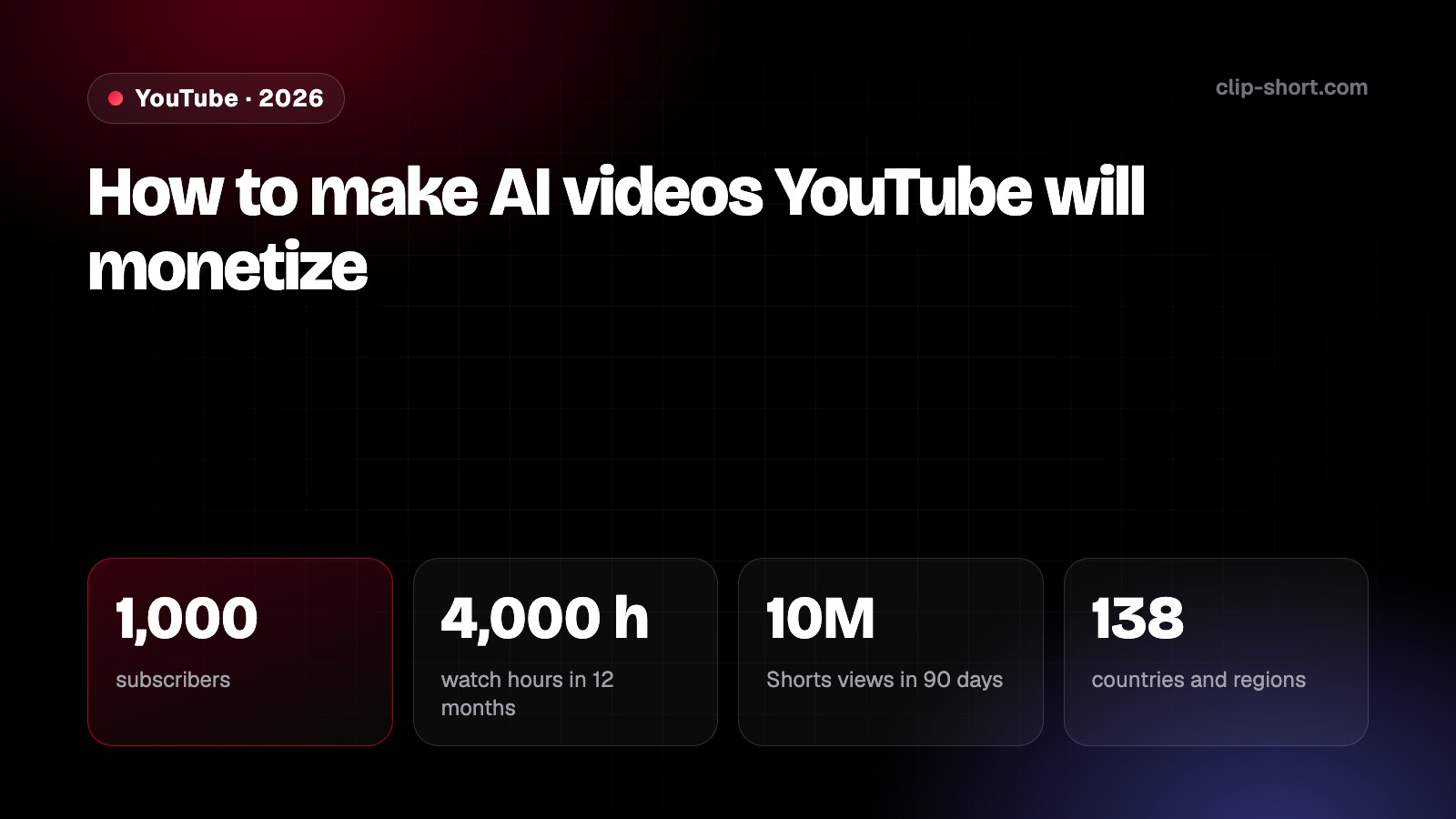
To share in ad revenue, a channel needs one of these:
- 1,000subscribers
- 4,000 hwatch hours in 12 months
- 10MShorts views in 90 days
- 138countries and regions
- Today4,000 h
- From 1 February 20278,000 h
Or Shorts views in 90 days: 10M today, 20M from 1 February 2027. Channels already in the programme keep their place.
Can your channel apply? Answer five questions
- Do you have at least 1,000 subscribers?
- In the last 12 months, 4,000 public watch hours (or 10M Shorts views in 90 days)?
- Do you live in a country where the programme runs?
- Is 2-Step Verification on for your Google account?
- Is your channel free of active Community Guidelines strikes?
How long until 4,000 watch hours?
Watch hours a month
667
In 12 months at this pace: 8,000
4,000 hours (today)
about 6 months
60,000 views in 12 months at this duration
8,000 hours (new channels from February 1, 2027)
about 12 months
120,000 views in 12 months at this duration
Arithmetic from the numbers you enter, not a promise. YouTube counts valid public watch hours over the last 12 months (365 days from 2027), so older hours stop counting.
Watch hours are one way into the Partner Program
To join the YouTube Partner Program a channel needs 1,000 subscribers plus 4,000 valid public watch hours in the last 12 months, or 10 million valid public Shorts views in the last 90 days, and has to be accepted. From February 1, 2027, new channels need 8,000 watch hours in the last 365 days or 20 million Shorts views in the last 90 days; channels already in the program keep their place.
Check your channel for free →What changes in 2027?- 1,000 subscribers and 4,000 valid public watch hours in the last 12 months, or
- 1,000 subscribers and 10 million valid public Shorts views in the last 90 days.
From February 1, 2027 the bar for new channels doubles: 8,000 watch hours in the last 365 days or 20 million Shorts views in the last 90 days, and earning from Shorts in a month will take 10 million Shorts views in the last 90 days. Channels already in the program keep their place; our guide to the 2027 changes has the details.
You also need to live in a country where the program runs (YouTube lists 138 countries and regions, Egypt, Saudi Arabia, Mexico, Argentina, Spain and Brazil among them), have 2-Step Verification on your Google account, link an AdSense account and have no active Community Guidelines strikes.
In many countries there is an earlier level for fan funding and shopping (not ads): 500 subscribers, 3 public uploads in the last 90 days, and 3,000 watch hours in 12 months or 3 million Shorts views in 90 days.
Meeting the numbers is not the end. Automated systems and human reviewers look at the channel as a whole: its main theme, the most viewed and newest videos, where the watch time comes from, the titles, thumbnails and descriptions, and the About section. YouTube says the review usually takes about a month. If you are turned down, you can apply again after 30 days.
What gets an AI channel turned down
- The same template over and over: the same structure, voice, music and pacing, with only the topic changing.
- Slideshows with little or no story: pictures on screen and a voice reading a list.
- Reused content: clips from films, TV or other creators without your own commentary or changes that add something.
- Reading someone else's text: articles, other channels' scripts or books, word for word.
- Titles and thumbnails that promise what the video does not show, and "facts" that are not true.
None of these are about AI as such. They are about whether a person made real choices, and they apply to videos made by hand just the same.
How to make AI videos that count as yours
- 1
Start from your own angle
"The history of Rome" is a topic anyone can generate. "Why Roman concrete still stands after 2,000 years" is an idea, and it tells the viewer why this video exists.
- 2
Rewrite the script
Let the AI write the first draft, then make it yours: a stronger hook, the detail you looked up, facts you checked, an ending worth waiting for. Most of what makes a video original lives in the script.
- 3
Choose the images
Replace the images that do not fit, bring in your own, and vary the shots and pacing from video to video while keeping a look people recognize.
- 4
Give the channel one voice
Pick a narrator and keep it, or record your own voice for some videos. A consistent voice and style make a channel feel like someone's, not something's.
- 5
Make series, not random topics
A format of your own ("one legend a week, and where it really comes from") gives reviewers a clear main theme and gives viewers a reason to subscribe.
- 6
Publish less, better
A few careful videos a week beat ten near-identical ones a day, for the review and for the audience.
When to label AI content
YouTube asks you to disclose content that is realistic and made or meaningfully changed with AI: a real person saying or doing something they did not, altered footage of a real place or event, or a realistic scene that never happened. You set it when you upload, in YouTube Studio, under Attributes → "AI use".
You do not need it for clearly unrealistic or fantastical scenes, for small edits like color or beauty filters, or for using AI to help with the script, captions or thumbnail. A legend told with illustrated or stylized images usually does not need it. A realistic picture of a real public figure does, and may break other rules as well.
When in doubt, label it. YouTube says that disclosing AI content will not limit a video's audience or its eligibility to earn money.
Music, scripts and stories you are allowed to use
- Music: use tracks you have the rights to, such as YouTube's own Audio Library. A copyrighted song can send your earnings to its owner or block the video.
- Folk legends and old tales are free to tell. Someone's book, film or episode about them is not: tell the story in your own words, from more than one source.
- Images: the ones you generate or upload yourself are safe to use. Pictures copied from a search engine are not.
Shorts, long videos and TikTok
Both formats count on YouTube. Shorts are found quickly and count toward the 10-million-view path; videos of 8 minutes or more can carry ads in the middle and usually earn more per view. Many AI channels use Shorts to be found and longer videos to earn.
TikTok's Creator Rewards Program pays only for original videos longer than one minute. It asks for 18 or older, at least 10,000 followers and 100,000 views in the last 30 days, and is open only in the United States, the United Kingdom, Germany, Japan, South Korea, France, Mexico and Brazil. Its account reviews count slide videos, split screens and low-quality images as low quality. TikTok has its own label for realistic AI content.
What could your Shorts earn?
Estimated per month
$50.00
Estimated per year
$600.00
An estimate from the numbers you enter, not a promise: YouTube decides what each view earns.
From February 1, 2027, a channel earns from Shorts only in months with at least 10 million Shorts views in the last 90 days. At these views, about 3,000,000 in 90 days, it would earn nothing from Shorts. What changes in 2027
Before Shorts pay: the YouTube Partner Program
To earn from Shorts ads a channel needs 1,000 subscribers and 10 million valid public Shorts views in the last 90 days (or 4,000 public watch hours in the last 12 months), and has to be accepted. Creators then get 45% of the Shorts ad revenue allocated to their views. From February 1, 2027, new channels need 8,000 watch hours or 20 million Shorts views to join, and a channel earns from Shorts only in months with 10 million Shorts views in the last 90 days.
Check your channel for free →Before you publish
- The idea and the angle are yours, not just a topic.
- You read and rewrote the script, and checked every fact.
- Images that did not fit were replaced.
- This video does not look like your last five with a new topic.
- Music and any quoted text are licensed or your own.
- Realistic AI people, places or events are labeled in YouTube Studio.
- The title and thumbnail tell the truth about the video.