
The sizes at a glance
The shape of a video, its aspect ratio, decides how each app shows it. The pixel size only decides how sharp it looks. These are the four shapes you will meet, at the usual 1080p size:
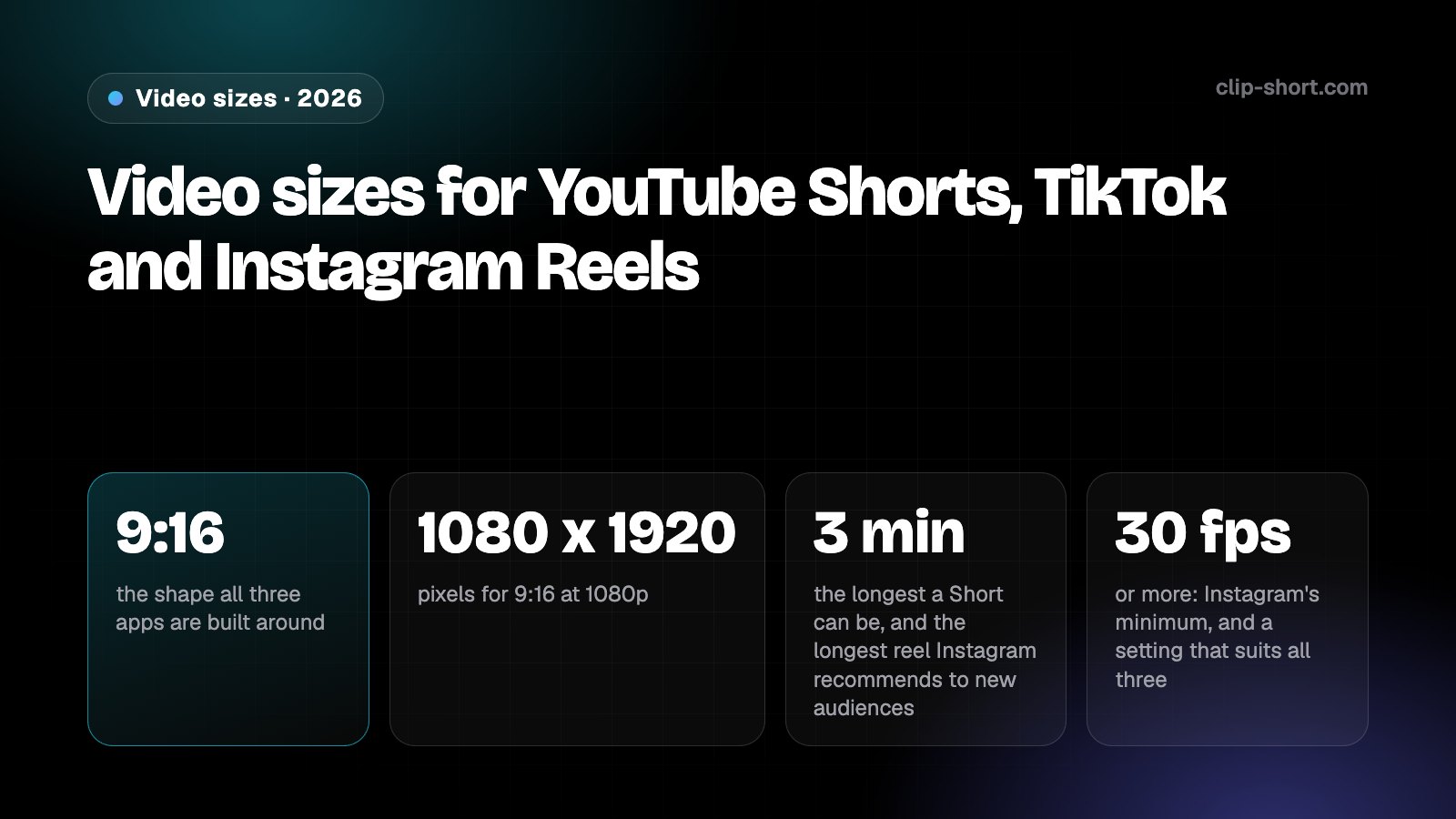
- 9:16the shape all three apps are built around
- 1080 x 1920pixels for 9:16 at 1080p
- 3 minthe longest a Short can be, and the longest reel Instagram recommends to new audiences
- 30 fpsor more: Instagram's minimum, and a setting that suits all three
| Shape | Pixels | Where it fits |
|---|---|---|
| 9:16, vertical | 1080 x 1920 | Shorts, TikTok and Reels. It fills a phone held upright |
| 4:5, portrait | 1080 x 1350 | Accepted for reels, but it does not fill a phone screen |
| 1:1, square | 1080 x 1080 | Counts as a Short, and TikTok and Reels take it, with space above and below |
| 16:9, horizontal | 1920 x 1080 | Regular YouTube videos. Never a Short |
Each size is 1080 pixels on its short side. A bigger file of the same shape is fine, and a smaller one plays too, down to each app's minimum: Instagram asks reels for at least 720 pixels, and TikTok's specifications for in-feed videos start at 540 x 960.
Instagram also asks reels for at least 30 frames per second, so 30 frames per second or more is a setting that suits all three. If your footage was shot at a higher rate, keep that rate.
YouTube Shorts: square or vertical, up to 3 minutes
YouTube counts a video as a Short when two things are true: it is square or vertical, and it is 3 minutes long or less. There is no setting to switch on. A video that fits both is a Short, and it can be shown in the Shorts feed.
The 3-minute limit applies to videos uploaded on or after October 15, 2024. A vertical video of one to three minutes uploaded before that date stays a regular video.
A horizontal 16:9 video is never a Short, however short it is. If you want it in the Shorts feed, make it square or vertical before you upload it.
- Length: up to 3 minutes.
- Shape: square, or vertical, which means taller than it is wide, like 9:16.
- From a computer you can upload up to 15 Shorts at a time.
What counts as a Short and what earns from Shorts are separate questions: our guides to the Partner Program cover the views a channel needs.
TikTok: up to 10 minutes recorded, 60 uploaded
TikTok has two limits. A video you record in the TikTok app can be up to 10 minutes long, and a video you make somewhere else and upload can be up to 60 minutes. If you pick a sound before you record or upload, the length of the sound sets the length of the video.
For size, the closest thing TikTok publishes is its specification for in-feed videos, written for ads: vertical 9:16 is recommended, at 540 x 960 pixels or more, and horizontal 16:9 and square 1:1 are accepted. A 1080 x 1920 export is well above that minimum.
Length also decides what can earn. TikTok's Creator Rewards Program pays only for original videos longer than one minute, so a 50-second video can do well on TikTok and still not count for the program.
Instagram Reels: from 1.91:1 to 9:16, and 3 minutes to be recommended
Instagram takes a reel in any shape from 1.91:1, which is wider than 16:9, to 9:16. It asks for at least 30 frames per second and a resolution of at least 720 pixels.
Reels can be up to 20 minutes long, but Instagram says reels over 3 minutes won't be recommended to new audiences. If a reel is meant to reach people who do not follow you yet, keep it to 3 minutes.
The recommended cover photo is 420 x 654 pixels, a ratio of 1:1.55, and Instagram says it can't be changed after the reel is uploaded, so choose it before you post.
One video for all three
Most creators post the same video on all three apps. These settings work everywhere:
- TikTok, uploaded60 min
- Instagram Reels20 min
- TikTok, recorded in the app10 min
- YouTube Shorts3 min
Instagram does not recommend reels over 3 minutes to new audiences.
- Vertical 9:16 at 1080 x 1920.
- 3 minutes or less: a Short on YouTube, and recommended to new audiences on Instagram.
- Longer than one minute if you count on TikTok's Creator Rewards. Under a minute is fine everywhere else.
- 30 frames per second or more, Instagram's minimum.
Captions burned into the video travel with it to every app and can be read with the sound off, so add them once, before you export, rather than three times in three apps.
Keep words and faces out of the way
Every app draws on top of your video: the caption and the account name along the bottom, and the like, comment and share buttons down one side. Text or a face under them is hard to see.
Keep titles, captions and faces toward the middle of the frame, clear of the bottom and the sides. TikTok publishes safe-zone files for its ad formats that show where its buttons sit, with a separate right-to-left version for the Arabic region, where the layout is mirrored.
Ready to export for all three?
- Is it vertical 9:16, 1080 x 1920?
- Is it 3 minutes or less?
- Is it 30 frames per second or more?
- Are text and faces clear of the bottom and the sides?
Turning a wide video vertical
A 16:9 video cropped to 9:16 at the same height keeps less than a third of its width, so the question is which third. A crop fixed on the middle cuts people off whenever they move or the shot changes.
Clip-Short's Reframe follows the subject from shot to shot instead, and can also make a square or 4:5 version. AI Clipping does the same for every clip it cuts from a long video, keeping the person who is speaking in frame.
For a new video, the simplest route is to make it vertical from the start: the AI Agent makes a video from your idea in 9:16, 1:1, 4:5 or 16:9.
Before you export
- Vertical 9:16, 1080 x 1920, for Shorts, TikTok and Reels.
- 3 minutes or less, if it should be a Short and be recommended on Instagram.
- Longer than a minute, if you count on TikTok's Creator Rewards.
- Text and faces clear of the bottom and the sides.