
The lower tier: 500 subscribers
In June 2023 YouTube added an earlier level of the Partner Program. Its help page calls it the expanded YouTube Partner Program. It opens fan funding and Shopping before a channel reaches the full tier that shares ad revenue. At this level you can earn from fans and from shopping, not yet from ads.
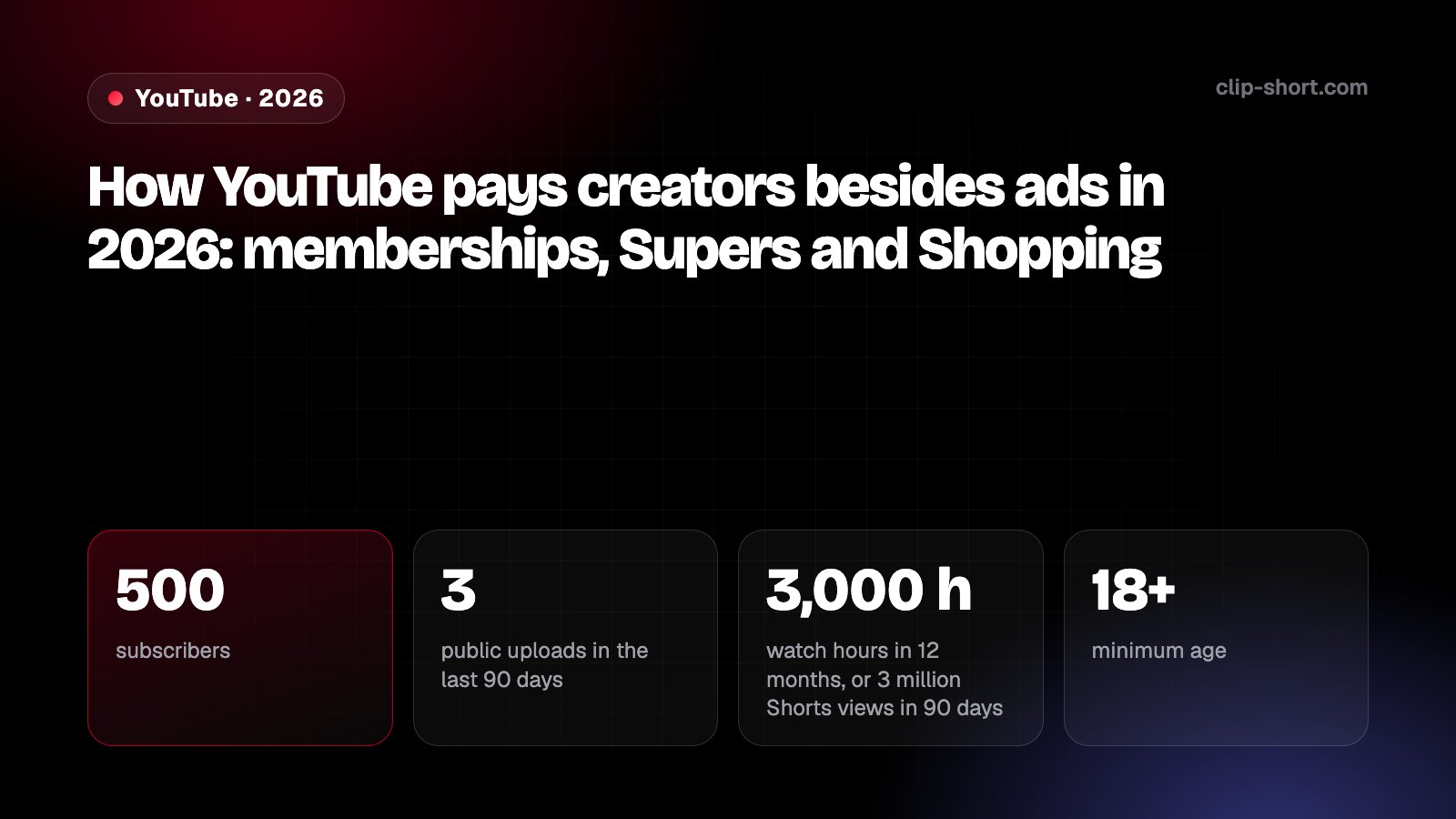
YouTube's page says you can apply when you have 500 subscribers and 3 valid public uploads in the last 90 days, plus one of two things: 3,000 qualified watch hours in the last 12 months, or 3 million qualified Shorts views in the last 90 days. The channel must be in a listed country, follow the channel monetization policies, have 2-Step Verification on, and link one active AdSense for YouTube account.
- 500subscribers
- 3public uploads in the last 90 days
- 3,000 hwatch hours in 12 months, or 3 million Shorts views in 90 days
- 18+minimum age
Could you join the lower tier? Answer six questions
- Do you have at least 500 subscribers?
- Did you post 3 valid public videos in the last 90 days?
- 3,000 qualified watch hours in the last 12 months, or 3 million qualified Shorts views in the last 90 days?
- Are you 18 or older?
- Is your channel in one of the 99 countries on YouTube's list?
- Is your channel not set as made for kids, and does it follow the monetization policies?
- Sign in to YouTube Studio, choose Earn in the left menu, then Apply now, and accept the base terms.
- Click Start to set up an AdSense for YouTube account, or link an active one. YouTube says to create a new one only inside YouTube Studio.
- Not there yet? Choose Get notified in the Earn area. YouTube emails you when the program is open to you and your channel has reached the thresholds.
Automated systems and people review the channel as a whole, usually in about a month. If the first application fails, you can try again after 30 days. After a second rejection the wait is 90 days. Keep posting original videos in between.
YouTube's 2023 post says that when a channel later reaches the full tier, it becomes eligible for ad revenue sharing without a full new application. The full tier is the one our guide on monetizing AI videos explains.
What each feature is, and what it asks
Every feature has its own rules on top of the lower tier. Memberships, Super Chat, Super Stickers and Super Thanks are turned on by accepting one contract, the Commerce Product Module, and then switching each one on in YouTube Studio under Earn.
| Feature | What fans do | What YouTube asks besides the tier |
|---|---|---|
| Channel memberships | Pay every month for perks such as badges, emoji and members-only videos. Up to 6 levels, 1 to 5 perks each. | 18 or older. A listed country. The Commerce Product Module accepted. A channel not made for kids, without many made-for-kids videos or videos with music claims. Not a music channel under an SRAV contract. |
| Super Chat and Super Stickers | Pay to pin a message, or an animated sticker, in the live chat of a live stream or Premiere. | 18 or older. A listed country. The Commerce Product Module accepted. Not on age-restricted, unlisted, private or made-for-kids videos, nor on videos with YouTube Giving fundraisers. Live chat must be on. |
| Super Thanks | Buy a one-time animation and a highlighted comment on a long video or a Short. | 18 or older. A listed country. The Commerce Product Module accepted. A channel not made for kids and not a music channel under SRAV. Not on age-restricted, unlisted, private or made-for-kids videos, videos with copyright claims, or videos with comments off. |
| Shopping: your own store | Browse and buy your products in your channel store, the description and a shelf under the video. | A channel not made for kids and with no Hate Speech strikes, without many videos that break the monetization policies. The subscriber threshold, or an Official Artist Channel. |
| Shopping: affiliate | Buy other brands' products you tagged, on the retailer's site. | In the Partner Program, with the subscriber threshold. One of 14 countries. Not a music channel. Not made for kids. No active Community Guidelines strikes. You join in Studio. |
Gifts are the newer live-stream feature. Fans buy Jewels and send gifts on vertical and horizontal live streams, and the creator earns Rubies. YouTube lists gifts with the features of the lower tier. Its creators page adds that once you turn gifts on, fans can no longer send Super Stickers on your live streams.
YouTube also says a feature may be unavailable if its reviewers decide a channel or video is not eligible, and that some features are unavailable because of local legal rules.
Which countries
YouTube lists the places where each feature works, and the lists are almost the same. On 8 October 2026 the memberships list had 100 places. The lists for the lower tier, Super Chat, Super Stickers and Super Thanks had 99, because Ukraine is only on the memberships list. Gifts have their own list of 77.
Is your country on YouTube's list?
YouTube's list for channel memberships (100 places), read on 8 October 2026. Super Chat, Super Stickers and Super Thanks use the same list without Ukraine.
| Feature | Places on the list | Arab countries on it |
|---|---|---|
| The lower tier | 99 | Algeria, Bahrain, Egypt, Jordan, Kuwait, Lebanon, Morocco, Oman, Qatar, Saudi Arabia, United Arab Emirates |
| Channel memberships | 100 | Algeria, Bahrain, Egypt, Jordan, Kuwait, Lebanon, Morocco, Oman, Qatar, Saudi Arabia, United Arab Emirates |
| Super Chat and Super Stickers | 99 | Algeria, Bahrain, Egypt, Jordan, Kuwait, Lebanon, Morocco, Oman, Qatar, Saudi Arabia, United Arab Emirates |
| Super Thanks | 99 | Algeria, Bahrain, Egypt, Jordan, Kuwait, Lebanon, Morocco, Oman, Qatar, Saudi Arabia, United Arab Emirates |
| Gifts | 77 | Egypt, Morocco, Saudi Arabia, United Arab Emirates |
| Shopping affiliate | 14 | None |
Not named on the fan funding lists that day: Iraq, Libya, Palestine, Sudan, Syria, Tunisia and Yemen. YouTube's general availability page for the Partner Program does name Iraq, Libya, Tunisia and Yemen, so a channel there can join the main program for ads, but the fan funding pages do not name them.
The affiliate program page names 14 countries: Argentina, Brazil, India, Indonesia, Japan, Korea, Malaysia, Mexico, the Philippines, Singapore, Taiwan, Thailand, the United States and Vietnam. YouTube's Shopping start page still named 12, without Argentina and Mexico, on 8 October 2026. On 23 September 2026 YouTube said it is taking the affiliate program to 35 countries by the end of the year.
How you get paid
Fan funding is paid the same way as ads, through AdSense for YouTube. Channels in the Partner Program set up an account in YouTube Studio when they join.
- In the monthFans buy memberships, Supers or gifts. YouTube Analytics shows an estimate.
- 7th to 12thThe next month, finalized earnings reach your AdSense for YouTube balance.
- 21st to 26thYouTube pays by these days if your balance has reached the payment threshold and nothing blocks it.
- 60 to 120 daysShopping affiliate commissions are paid this long after the purchase, because returns reverse them.
- YouTube Analytics shows estimates, and they can change. Finalized earnings are visible only in your AdSense for YouTube account.
- The payment threshold depends on the currency of your account. YouTube's table gives 100 for US dollars, 5,000 for Egyptian pounds and 350 for UAE dirhams. The table does not list Brazilian reais or Saudi riyals.
- Every partner must give tax information, wherever they live. If you do not, Google may hold back up to 24% of your total earnings worldwide. At 10 US dollars of earnings (or the same in your currency) YouTube also asks you to verify your identity and address.
- Sales in your own store are paid directly by the retailer or platform you connected. YouTube and AdSense are not involved.
- Rubies from gifts are paid with your other Partner Program earnings. To earn from gifts you must be 18 or older, have a verified AdSense account and accept the Virtual Items Module.
You are paid when your earnings reach the threshold, there are no holds, you gave your tax information, monetization is not paused and you follow the policies. In an MCN, YouTube pays the network and the network pays you.
You may owe tax in your own country on this income. YouTube says it cannot give tax advice, so ask a tax professional.
Rules that can cost you a feature
Fan funding is part of the Partner Program, so the channel monetization policies still apply, and so do the Community Guidelines and the AdSense policies. YouTube says these features are not crowdfunding or donation tools, and that you must follow the law that applies to you.
- Membership perks cannot include downloads of content that is on YouTube (music too), in-person one-to-one meetings, anything only some members get by chance, such as contests, lotteries or sweepstakes, or perks aimed at children. YouTube reviews levels and perks before they go live, which takes about a day.
- If you set the channel as made for kids, or lose monetization, memberships enter paused mode: members lose their perks, payments stop and the Join button disappears. After 120 days the program ends and members are refunded from your share.
- If the program ends for abuse, fraud, a breach of the terms or leaving the Partner Program, members get their last payment back, and it comes out of your share.
- YouTube can end access to Super Thanks if it sees signs of abuse or fraud. A Super Chat or Super Sticker that breaks the Community Guidelines is removed.
- Do not share your Shopping affiliate links outside YouTube. Posting them on other sites, using automatic redirects, click injection or cookie stuffing can suspend the affiliate feature. Paid promotions must be disclosed under the branded content rules.
The channel monetization policies ask for original and authentic content and refuse repetitive, mass-produced or reused content. That applies to every feature in this guide.
YouTube also says it may turn off monetization for channels that do not meet the Partner Program's activity requirements.
What changed, and what is coming
YouTube's announcement of 10 August 2026 raises the bar for the full Partner Program from 1 February 2027. It also says the entry thresholds for fan funding and Shopping stay as they are: 500 subscribers, and either 3,000 qualified watch hours in the last year or 3 million qualified Shorts views in the last 90 days.
- 13 Jun 2023YouTube adds the lower tier, starting in the United States, United Kingdom, Canada, Taiwan and South Korea. The Shopping affiliate program is for US creators with over 20,000 subscribers.
- May 2025New channel membership prices start to roll out, gradually.
- 25 Mar 2026The Shopping affiliate program opens to Partner Program channels with at least 500 subscribers that meet the rules.
- 23 Sep 2026YouTube says the affiliate program will reach 35 countries by the end of the year.
- 31 Jan 2027Last day to accept the Commerce Product Module if you are still on the older Commerce Product Addendum.
- 1 Feb 2027Anyone who has not accepted stops earning from the fan funding features until they do.
- Creators who turned on fan funding before 2023 may still be on the Commerce Product Addendum. YouTube is moving everyone to the Commerce Product Module. It says eligibility thresholds, how the products work and the revenue share do not change.
- If you do not accept by 31 January 2027, you stop earning from those features on 1 February 2027, but you stay in the Partner Program. Accepting later gives the features back.
- In an MCN, the network accepts for the channels it owns and operates. Affiliate channels accept for themselves in YouTube Studio.
These are the dates YouTube's pages gave on 8 October 2026. The full Partner Program changes of 2027 are explained in our other guides, so they are not repeated here.
Before you count on fan funding
- You have 500 subscribers, 3 public uploads in the last 90 days, and 3,000 watch hours or 3 million Shorts views.
- You are 18 or older and live in a country on YouTube's list for each feature you want.
- You know the rules: membership perks, made for kids, no donation framing, and affiliate links only on YouTube.
- You have an AdSense for YouTube account and your tax information, and you accepted the Commerce Product Module (by 31 January 2027 if you are on the older addendum).