
What a faceless creator is
A faceless content creator makes videos without appearing on camera.
Instead of filming yourself, you can use:
- AI-generated pictures: Images that illustrate your story or explain an idea.
- Stock footage: Existing video clips of places, objects, or activities.
- Screen recordings: Videos showing how an app, website, or tool works.
- Text and captions: Words that tell a story or explain something.
- Voice narration: Your own voice or an AI-generated voice.
- Clips from longer videos: Short sections of videos you have permission to reuse.
For example, imagine you want to make a video about unusual facts about space. You could show pictures of planets, add a voice explaining each fact, and display captions so viewers can follow along. The same approach works for educational content, storytelling, quizzes, history, language learning, and many other topics.
Choose one idea for your first video
Many beginners get stuck because they think they need an original idea that nobody has ever covered. You don’t. You need an idea that someone might find interesting, entertaining, or useful.
Choose an idea that can be explained without needing a long introduction. For example, instead of “Everything you need to know about space”, try “Why can’t you hear sound in space?”. The second idea gives your video a clear question to answer.
| Topic | First video idea | Possible format |
|---|---|---|
| History | An unusual fact about ancient Egypt | Story |
| Animals | Three surprising facts about octopuses | Countdown |
| Geography | Can you guess this country from three clues? | Quiz |
| Language learning | Common Spanish phrases for travelers | Countdown |
| Science | Why does the Moon appear to change shape? | Story |
| Technology | A simple explanation of how AI works | POV |
| Everyday life | A relatable conversation about saving money | Chat |
Common mistake: choosing a topic that’s too broad. A video about the entire history of a country is difficult to explain briefly. Start with one event, question, or interesting fact instead.
Clip-Short’s AI Agent turns a written idea into a narrated, captioned vertical video, as a story, a countdown, a quiz, a chat or a POV. The video idea generator is free and needs no account.
Write a simple script
A script is the text that will be spoken in your video. You don’t need professional writing experience. A beginner-friendly script has three parts.
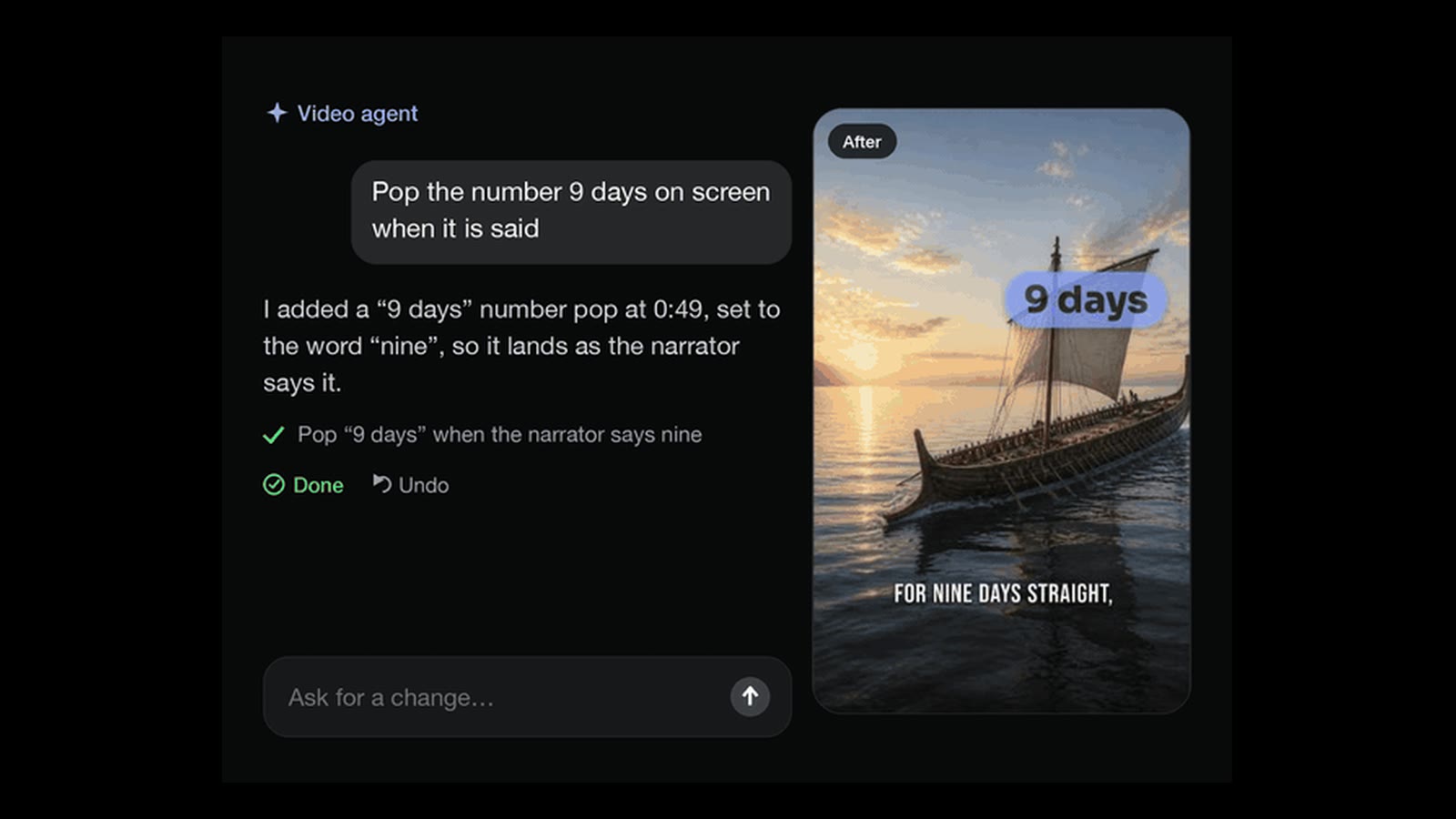
- The opening. Start with a question, surprising fact, or clear promise. “Why can’t astronauts hear explosions in space?”
- The explanation. Give the information in a logical order. “Sound needs something like air or water to travel through. Space is mostly a vacuum, so sound cannot travel through it the way it travels through air on Earth.”
- The ending. Finish by answering the opening question or giving viewers something to think about. “That’s why movie explosions in space wouldn’t sound the way they do on screen.”
Common mistake: putting too much information into one script. Also, check any factual claims before publishing. AI-generated scripts can contain mistakes.
Enter your video idea into the AI Agent, which writes the script as part of creating the video. You can then edit the narration in individual scenes to change the wording or correct anything that needs improvement.
A voice without showing yourself
You don’t need to speak on camera to make a faceless video.
- Narrate it yourself, without appearing on screen.
- Use an AI-generated voice.
- Make a video that speaks through on-screen text.
A calm voice might suit a historical story, while an energetic delivery might work better for a quiz. Your audience should be able to understand the words without struggling to hear them.
Common mistake: using narration without listening to it. Even when an AI voice sounds clear, the pronunciation, pacing, or emphasis might not fit the script. Listen to the finished narration and check names, numbers, and unfamiliar words.
Clip-Short’s AI Agent narrates the video with one of 23 voices, in any of 30 languages, and you can rewrite what the narrator says scene by scene. On a paid plan you can also narrate in your own voice, made from one recording, without ever being on camera. A finished video can be made again in another language with the same pictures and the same voice.
Pictures or footage instead of your face
Now you need something for viewers to look at. In a faceless video, pictures, footage, and on-screen text help communicate the story. The important thing is that the visuals match what the narration is saying. Imagine your video explains why sound cannot travel through empty space. You might use:
| Narration | Visual |
|---|---|
| “Why can’t astronauts hear explosions in space?” | An astronaut floating in space |
| “Sound needs a medium to travel through.” | A simple illustration of sound traveling through air |
| “Space is mostly a vacuum.” | A view of empty space |
| “That’s why sound behaves differently in space.” | An astronaut looking toward Earth |
You don’t need complicated animation. Clear pictures can communicate an idea effectively.
Common mistake: adding visuals simply because they look interesting. Choose pictures that explain, support, or add useful context to the words. Also, don’t assume that content found online is free to reuse. Check copyright, licenses, and permissions before including someone else’s footage or images.
Clip-Short’s AI Agent makes the pictures for each scene and adds music. Every scene stays editable: you can swap or redraw its picture, rewrite its narration, restyle the captions or change the music. If you already have a long video, uploaded or linked from YouTube, Twitch, Kick or X, AI Clipping cuts it into vertical clips with captions.
Captions, size and length
Captions show the spoken words on the screen. They help viewers understand your video when they can’t hear the narration clearly or prefer watching without sound. For faceless videos, captions can also help connect the voice to the visuals.
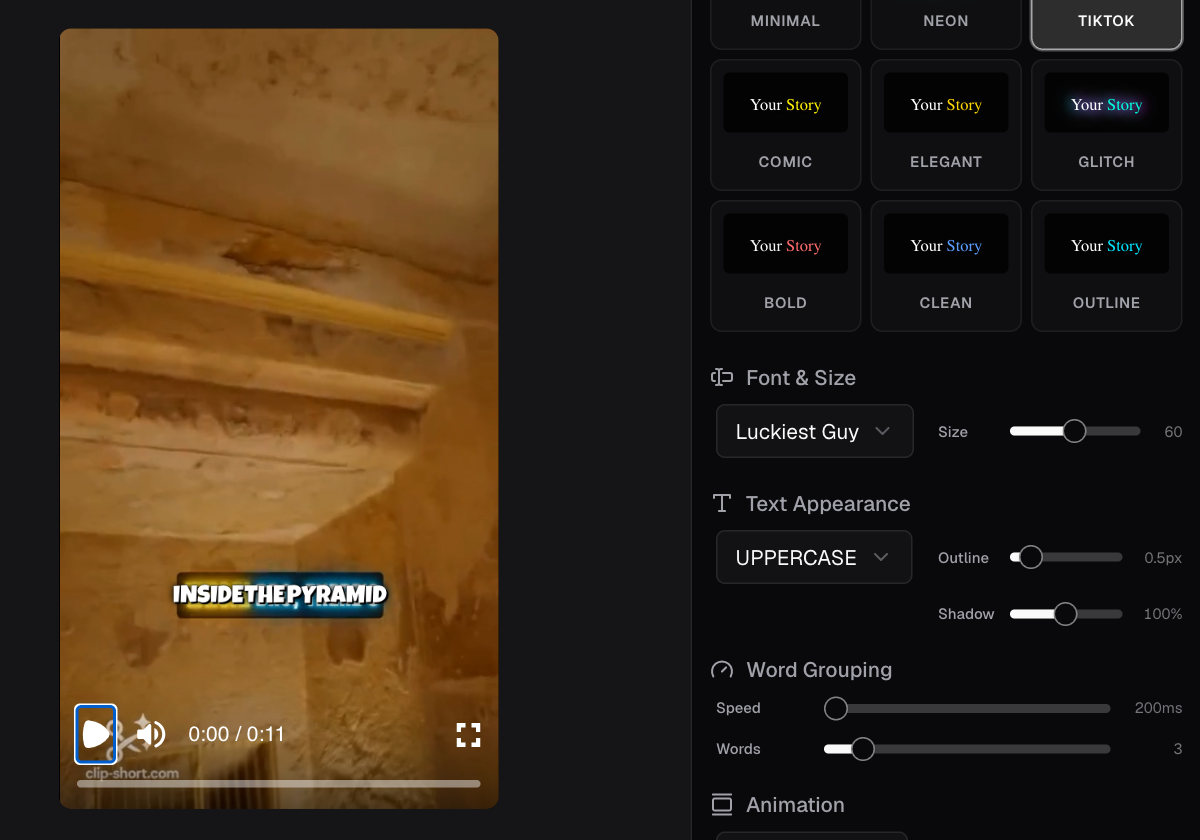
- Use text that’s easy to read against the background.
- Avoid placing too many words on the screen at once.
- Make sure captions appear when the corresponding words are spoken.
- Check spelling and punctuation.
- Keep important text away from areas covered by the platform’s interface.
If you’re making your first faceless short video for TikTok, Reels, or Shorts, 9:16 is a practical starting point. Make it long enough to explain your idea clearly, but short enough to avoid unnecessary repetition.
Platforms can change their supported lengths, upload requirements and other rules. Our size guides give each platform’s current numbers with their sources; for anything else, check the platform’s own help page before posting.
Common mistake: publishing captions without checking them. Automatic captions can misunderstand unusual words, names, or accents. Watch the video with its sound turned off and check whether you can still follow the message.
The AI Agent automatically adds captions to the videos it creates, and those captions remain editable by scene. If you already have a video, Auto Caption adds captions to it, and Reframe changes its shape to 9:16, 4:5, 1:1 or 16:9, for example a horizontal video into a vertical one.
Post it yourself
Your video now has an idea, script, narration, visuals, and captions. It’s time to publish it. You can start with one platform rather than trying to manage several accounts immediately.
A good caption tells viewers what to expect. “Space is mostly silent. Here’s why astronauts can’t hear sound the way we do on Earth.” Avoid making promises that the video doesn’t deliver.
Common mistake: spending so much time preparing that nothing gets published. Check the facts, sound, captions, and video shape, then publish it.
Clip-Short’s Post button writes the words for each platform: a YouTube title, description and tags, and the TikTok and Instagram captions. Clip-Short never posts for you: you download the video and upload it yourself. A post you schedule in Clip-Short is an email reminder, not an automatic upload. If your video shows realistic AI-made people, places or events, check the platform’s current rules for labelling it.
Grow by learning what works
Publishing your first video is the beginning. Growth comes from developing your ideas, creating more content, and learning what your audience responds to.
Start by making several videos around a related topic. For example, if your first video explains why space is silent, your next ideas could be:
- Why do astronauts float in space?
- What happens to water in space?
- Why does the Moon look different throughout the month?
- Can humans live on Mars?
- Why is the sky dark in space?
You can also experiment with formats. Try explaining one topic as a story, another as a countdown, and another as a quiz.
Choose a schedule you can realistically maintain. For example, you might begin with one video a week while learning how to create, edit, and publish. There is no universal posting frequency that guarantees growth.
Common mistake: changing topics after every disappointing video. One video with few views doesn’t necessarily mean your topic is bad.
Clip-Short’s Series, on Pro, drafts a set of videos on one topic on a schedule. You review and edit the drafts, then download and post them yourself.
What it costs to start
You can create a Clip-Short account without a payment card.
Since October 27, 2026, the free plan makes no AI videos: it gives 60 minutes a month of Auto Caption and Reframe, with a small watermark. AI Clipping comes with Pro or a Clip pack. AI videos are paid: with Pro, or one at a time, paid once (except in Egypt).
Pro costs US$19 a month and comes with 10 AI videos a month. One AI video costs US$2.49, paid once, up to 3 minutes long, with no watermark and no subscription.
Choose based on what you plan to create, rather than paying for more videos before you know what you need.
Your first faceless video: a checklist
- Idea: I chose one specific question, story, or topic.
- Script: My video has a clear opening, explanation, and ending.
- Voice: The narration is easy to understand.
- Pictures or footage: The visuals support what the video says.
- Captions: The words are accurate, readable, and timed correctly.
- Video size: The format fits the platform where I’ll post. Video length: The video explains the idea without unnecessary repetition.
- Posting: I’ve downloaded, reviewed, and uploaded my video. Growing: I have another related idea to try and know where to check my results.