
Find an idea for your Instagram Reel
You don't need a completely original idea. You need something a specific audience will find useful, interesting, entertaining, or relatable. Start by thinking about what people want to learn, solve, or understand. For example:
- Education: "3 mistakes people make when learning Spanish."
- Stories: "The strange history of the world's shortest war."
- Tips: "How to save money when grocery shopping."
- Quizzes: "Can you guess these countries from their flags?"
If you're stuck, write down questions people often ask about a subject you know. Then choose one question and make one Reel answering it.
What beginners get wrong: Trying to explain too much in one video. A Reel about "Everything you need to know about investing" is difficult to make clear. A Reel about "What does compound interest mean?" gives you a more manageable starting point. One video should have one main idea.
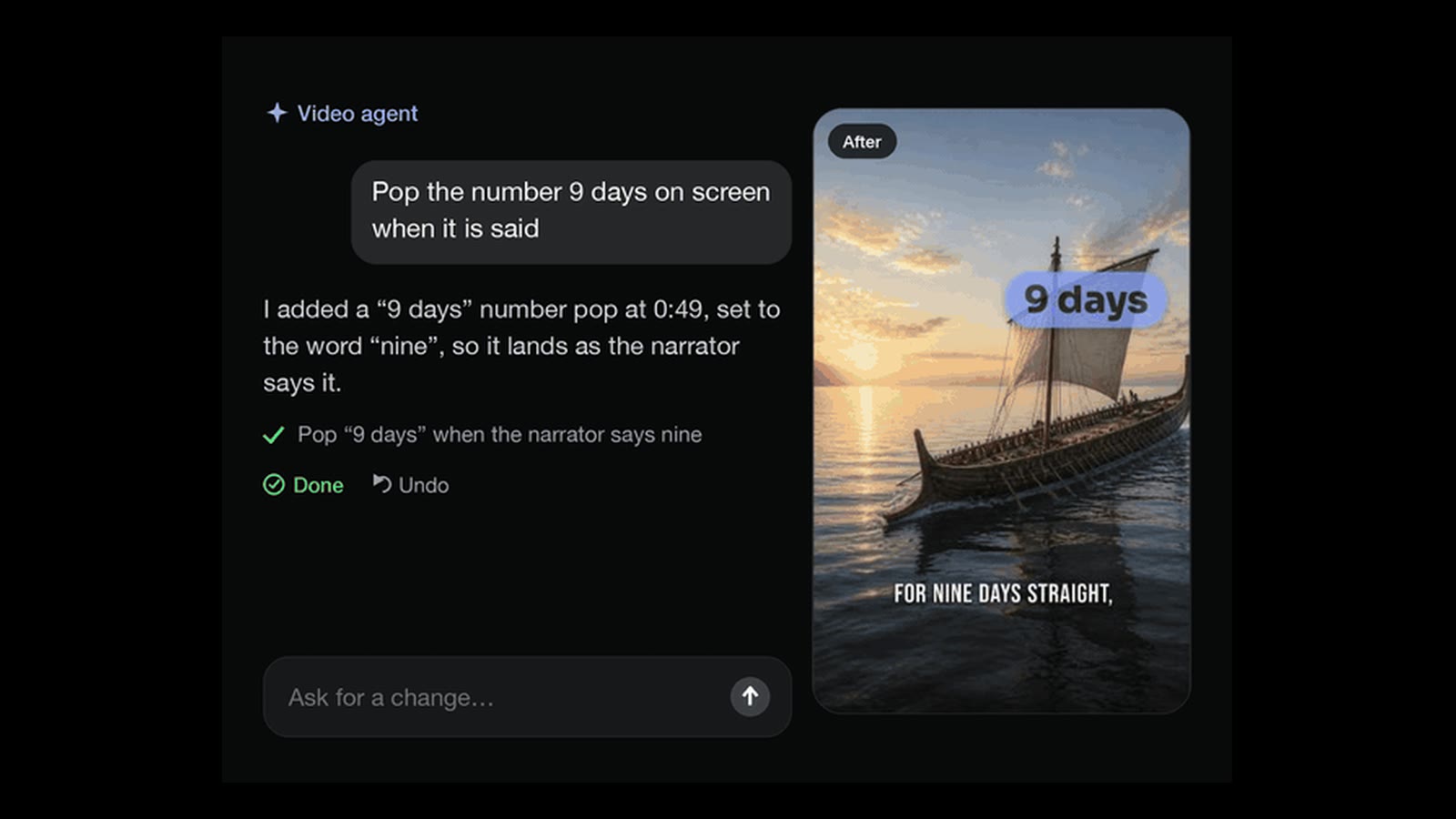
In Clip-Short: write your idea in one sentence and the AI Agent turns it into a narrated, captioned video. You can pick one of 5 formats: a story, a top 5 countdown, a quiz, a text-chat story or a POV.
Write a short script
Your script is what viewers will hear or read during the video. You don't need professional writing experience. Use a simple structure: Hook: Give people a reason to watch. Main content: Explain or demonstrate your idea. Ending: Finish the thought or invite a response.
What beginners get wrong: Writing an essay instead of a spoken script. Long introductions, complicated sentences, and unnecessary explanations make videos harder to follow. Write the way you would explain something to a friend. Also, don't assume AI-generated facts are correct. Verify names, dates, statistics, and factual claims before publishing.
In Clip-Short: the AI Agent writes the script from your idea. Before you export, you can rewrite what the narrator says in any scene.
Add a voice to your Reel
You don't have to record your own voice. There are three basic options:
- Your own voice: Record yourself reading the script.
- AI narration: Generate a voice that reads your script.
- Text-led video: Use readable on-screen text instead of spoken narration.
Choose the option that suits your content. If you use AI narration, listen to the entire result. Check names, numbers, unusual words, pauses, and pronunciation.
What beginners get wrong: Choosing a voice without listening to the finished narration. A voice might sound fine in a short preview but pronounce an important word incorrectly. Another common mistake is using narration that moves too quickly for viewers to understand.
In Clip-Short: the AI Agent narrates with one of 23 voices in any of 30 languages, Spanish and Brazilian Portuguese among them, with captions in the same language. A finished video can be made again in another language, over the same pictures and in the same voice.
Add pictures or video footage
Now give viewers something to look at. Your visuals should support the script, not distract from it. You can use:
- Photos you've taken yourself.
- Video footage recorded on your phone.
- Pictures generated with AI.
- Footage you're licensed to use.
What beginners get wrong: Adding random pictures that don't match the narration. If the voice talks about saving money while the video shows unrelated landscapes, viewers have to work harder to understand the message. Another mistake is assuming everything found online is free to reuse. Check usage rights before using someone else's photos, footage, or music. Also review AI-generated pictures for inaccurate details.
In Clip-Short: the AI Agent makes a picture for each part of the script, or uses stock footage, and you can swap or redraw any picture. If you already have a long video, AI Clipping cuts it into vertical clips with captions, from a YouTube, Twitch, Kick or X link or an upload.
Add captions people can read
Captions display spoken words on the screen. They're useful because people may watch videos without sound, and readable text can make spoken information easier to follow. Good captions should:
- Match what the narrator actually says.
- Be large enough to read on a phone.
- Have sufficient contrast against the background.
- Appear at the right moment.
Keep captions away from screen areas that Instagram's interface may cover. Watch the video on a phone before posting. Make sure you can read the text comfortably without pausing.
What beginners get wrong: Trusting automatic captions without reviewing them. Automatic captions can mishear names, numbers, accents, or unfamiliar expressions. Captions may also appear too quickly or cover important visuals. Always watch the finished video and correct mistakes.
In Clip-Short: the AI Agent's videos come with animated captions you can restyle. For a video you filmed, Auto Caption adds captions you can correct, burned into the video or downloaded as an SRT or VTT file.
Choose the right video size and length for Instagram Reels
Instagram takes a reel in any shape from 1.91:1 to 9:16. The shape reels are made for is 9:16, which is 1080 x 1920 pixels at 1080 on the short side. Reels can be up to 20 minutes long, but reels over 3 minutes are not recommended to new audiences.
Make the video long enough to explain your idea clearly, but don't add unnecessary material. A simple tip might need less time than a detailed story or tutorial. Instead of aiming for a particular number of seconds, ask:
- Does the opening explain why someone should watch?
- Is every scene necessary?
- Can I remove any repeated information?
- Does the ending feel complete?
Instagram's supported lengths and upload requirements may change. Check the platform's own help page before relying on a particular maximum duration or technical requirement.
What beginners get wrong: Using the wrong shape or making a video longer than necessary. A horizontal video can appear smaller or require cropping when viewed vertically. Similarly, adding unnecessary introductions or repeated points can make the video feel slow. Choose your format before editing, and remove anything that doesn't help the story.
In Clip-Short: the AI Agent makes 9:16 unless you pick 1:1, 4:5 or 16:9, and you choose the length before it is made (one video paid once is up to 3 minutes). Reframe turns a horizontal 16:9 video into 9:16, following the subject.
Download your video and post it on Instagram
Once your video is finished, watch it from beginning to end. Check the narration, captions, visuals, and music. Then download your completed video. To publish it on Instagram:
- Open Instagram and sign in to your account.
- Start creating a Reel.
- Select the video you downloaded.
- Preview it and check how the text and visuals appear.
- Choose a cover image if the posting interface offers that option.
- Write a caption describing the content.
- Check your settings and publish the Reel.
Instagram's interface, publishing options, and requirements can change. Check the platform's own help page if the steps look different on your account. Your post caption is the text that accompanies your video. It is different from the on-screen captions that display narration. Keep it relevant to the Reel. You can include relevant hashtags, but don't assume that adding more hashtags guarantees more views. Focus on making the description useful and accurate. Instagram recommends a cover of 420 x 654 pixels, and it cannot be changed after the reel is uploaded.
What beginners get wrong: Publishing without checking the final video. Captions may be difficult to read, an image may be incorrect, or the audio may contain a mistake. Another common mistake is assuming that creating a video and publishing it are the same task. They're separate steps.
In Clip-Short: the Post button writes the words for Instagram Reels: a caption with a hook line and 3 to 5 hashtags. A scheduled post is an email that reminds you to post. Clip-Short never posts for you: you download the video as an MP4 and upload it yourself.
Grow your Instagram account by learning what works
Posting your first Reel is the beginning, not the end. Start by making videos about a clear topic, posting at a manageable pace, and comparing how people respond. Choose a subject you can return to regularly. For example, if your account teaches Spanish, you could create content around:
- Common beginner mistakes.
- Everyday Spanish expressions.
- Short vocabulary quizzes.
- Differences between similar words.
- Questions learners frequently ask.
These ideas can become a connected series. A series helps you plan future videos without having to invent a completely new topic each time. Start with a schedule you can realistically maintain. Consistency is useful for building a content-making habit, but posting more frequently doesn't guarantee more reach. After publishing, look at the performance information available in Instagram.
Don't judge a video using views alone. For example, a video with fewer views but thoughtful questions from viewers might give you useful ideas for future content. Look for patterns across several posts rather than assuming one successful or unsuccessful Reel proves something.
What beginners get wrong: Expecting every video to perform well immediately. One Reel may attract attention while another receives little response. That doesn't automatically mean the second idea was bad. Beginners also sometimes change their entire content strategy after one disappointing post.
In Clip-Short: on Pro, Series drafts videos on one topic on the schedule you set. Nothing is posted until you post it.
What it costs to make Instagram Reels with Clip-Short
Since October 27, 2026, the free plan makes no AI videos: it gives 60 minutes a month of Auto Caption and Reframe, with a small watermark. AI Clipping comes with Pro or a Clip pack. AI videos are paid: with Pro, or one at a time, paid once (except in Egypt). The account needs no card.
Pro is US$19 a month for 10 AI videos. One AI video on its own is US$2.49, paid once (MX$35 in Mexico, R$11.90 in Brazil; not sold on its own in Egypt), up to 3 minutes, with no watermark.
Filmed it yourself? The free plan's Auto Caption and Reframe caption it and make it vertical.
What Clip-Short does not do
- It never posts for you. You download each video and post it on Instagram Reels yourself.
- It does not film anything. Its pictures are AI pictures or stock footage, not footage of you, a real place or a real event: for those, film it and use Auto Caption and Reframe.
- It does not check facts for you. The script is a first draft: check every name, number and claim before you post.
Before you post your Reel
- Make the words accurate and easy to read.
- Prepare a 9:16 vertical video and check its length.
- Watch the complete video for errors.
- Upload it to Instagram yourself.
- Review what people watched and use that information to plan your next Reel.