
AI explainer video generator
for ideas that click
Write a question or a lesson. The AI Agent explains it step by step, shows the numbers, a chart or a worked equation on screen, and narrates it with captions.
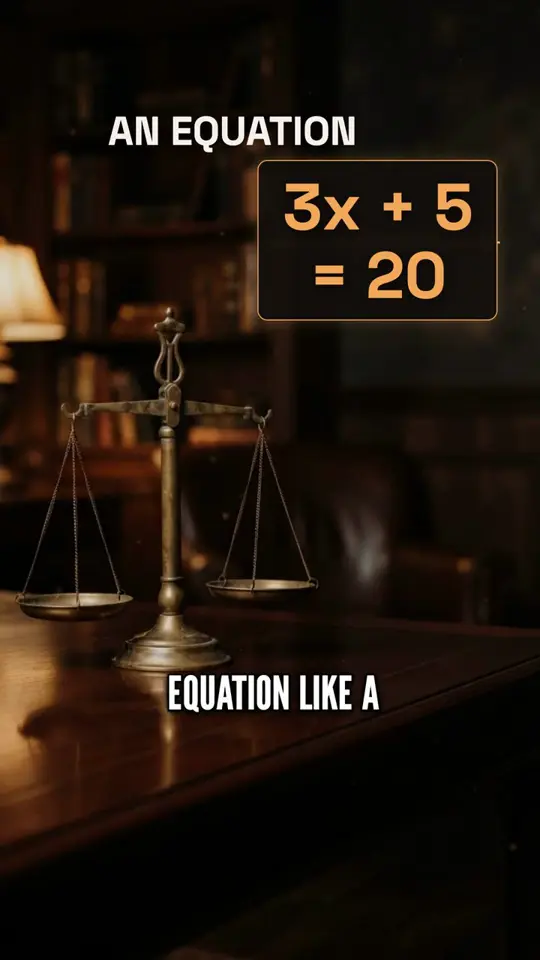
“Explain step by step how to solve 3x + 5 = 20: subtract 5 from both sides to get 3x = 15, then divide both sides by 3 to get x = 5, and check it: 3 times 5 plus 5 is 20. Show each step of the equation on screen and why it keeps the two sides equal. Clear, patient narration for students.”
Solve 3x + 5 = 20 · 0:49 · TikTok
Explainers ready to use
Tap one and the AI Agent turns it into a video. You can change it before it generates.
Solve an equation
Explain step by step how to solve 3x + 5 = 20, showing each step of the equation on screen and why it works. Clear, patient narration for students.
The Pythagorean theorem
Explain the Pythagorean theorem with a triangle of sides 3, 4 and 5: show 9 + 16 = 25 on screen and one place it is used in real life. Clear narration.
How vaccines work
Explain in simple words how a vaccine teaches the immune system to recognise a germ before a real infection. Calm, clear narration for a general audience.
Why we have seasons
Explain why Earth has seasons: the tilt of 23.5 degrees, not the distance from the Sun. Show the tilt and the numbers on screen. Curious narration.
How a bill becomes a law
Explain the steps a proposal goes through to become a law in a typical parliament, as a numbered list on screen. Neutral, clear narration.
Compound interest
Explain compound interest with a chart: how 100 dollars a month grows over 40 years at 7% a year, against simply saving it. Not investment advice. Clear narration.
How the internet reaches you
Explain how a web page reaches your phone, from the undersea cables to the router, in five steps shown on screen. Friendly narration.
Photosynthesis in a minute
Explain photosynthesis in one minute: what goes in, what comes out, and why it matters for the air we breathe, with a simple diagram on screen. Clear narration for students.
Explainers made with Clip-Short
The steps, the numbers and the charts came from a single idea. Tap one to watch it with sound.
More topics
- AI horror video generator
- AI documentary video generator
- AI finance video generator
- AI news video generator
- AI history video generator
- AI kids' story video generator
- AI motivational video generator
- AI love story video generator
- AI mystery video generator
- AI mythology video generator
- AI space video generator
- AI animal facts video generator
- AI psychology facts video generator
- Halloween videos
How to make an explainer people finish
- 1
Ask one question
One question per video keeps it clear: "why is the sky blue" works better than "all about light". Make a series for the next questions.
- 2
Ask for what to show
Write "show each step", "with a chart" or "the numbers on screen". The video can then draw a list, a chart, a counter or a worked equation.
- 3
Give your numbers
When you write the numbers, the script and the chart use them as written. Check them before you post.
- 4
Pick the voice and the pace
Nova and Shimmer sound like a friendly teacher, Onyx like a documentary. Every sentence of the script stays editable.
Questions about AI explainer videos
Can it show an equation or a chart?
Yes. A video can show a worked equation step by step, a bar chart, a counter, a timeline or a numbered list, drawn from the numbers in the script.
Is it good for teachers?
Yes. Write the lesson or the question, check the script, and export a short video for class, for a learning platform or for social media.
Which languages can it explain in?
The narration and the captions can be in 20 languages, including English, Spanish, Portuguese, French, German, Arabic and Hindi.
Is it free?
Your first AI video is free, up to 30 seconds, with a small watermark. Pro makes longer videos, up to 10 minutes, with no watermark.
Your next explainer starts here
Write the question, ask for the steps or a chart on screen, and let the AI Agent turn it into a video.